
In 2025, the internet will be more linked to our lives than ever. It will be faster, smarter, and a part of everything we do.
Apps, websites, and devices are always gathering information about user like:
- where we go,
- what we enjoy, and
- even what we think easily
But it also means we are handing away more private information than we think.
Today, privacy is not about being away from others. It is about being in charge of what we share. The good news is that you do not need to be a tech expert to keep safe; you simply need to be informed and follow a few simple rules.
This article gives 10 tips for keeping your privacy safe in 2025. It is meant for people who work and live online every day.
1. Review App Permissions
Every program you install requests for access to something—your images, microphone, location, or contacts. Most of the time, you tap “allow” without thinking twice. That’s where privacy slips away. What to do: Open your phone’s settings and evaluate whether apps have authorization to utilize your camera, location, or storage. Turn off access for anything that doesn’t need it. Delete old programs you never use because they’re silent data catchers.
Privacy dashboards in Android and iOS now indicate which apps accessed your data recently. Check them once a month.
2. Use Private Messaging Apps
Not every message stays between you and the person you’re conversing with. Many prominent messaging apps save copies of your interactions on their servers. If you desire privacy, utilize technologies meant to safeguard it. Recommended apps: Signal: End-to-end encrypted and open source. Telegram Secret Chats: Adds extra encryption and self-destruct features. Session: Doesn’t require a phone number or account. 💬 End-to-end encryption means only you and the receiver can see your communications — not even the program itself.
3. Choose a Privacy-Focused Browser
Your web browser can be your biggest privacy leak. Cookies, advertisements, and trackers follow you across sites, developing a digital profile without consent. Better browser choices:
Brave: Blocks advertisements and trackers automatically.
Firefox: Open-source and customizable.
DuckDuckGo Browser: Simple, light, and private by default.
Switching your search engine to DuckDuckGo or Startpage also keeps your browsing history secret.
4. Virtual Private Network (VPN)

encrypts your web traffic and hides your location. It makes it much harder for hackers or even your internet provider to see what you’re doing. Trusted VPNs: ProtonVPN: Privacy-first, based in Switzerland. NordVPN: Fast and dependable for regular browsing. Surfshark: Affordable and works on all your devices.
Use a VPN especially on public Wi-Fi — airports, schools, and cafes are great areas for data theft.
Protect Yourself With a VPN
5. Strengthen Your Passwords
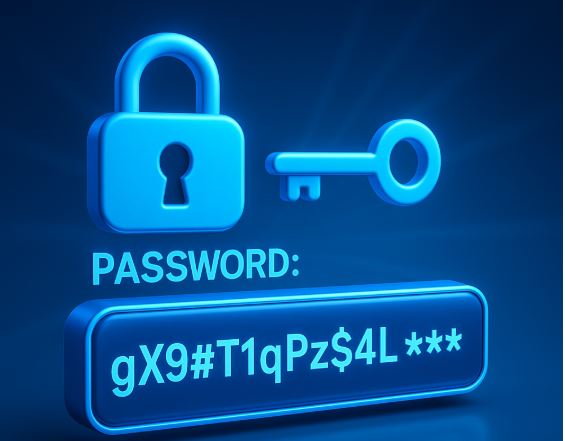
Weak or repeated passwords are still one of the easiest methods for hackers to break in. A few minor tweaks make a significant effect. How to keep safe: Use extensive passphrases instead of short passwords (for example, morning_coffee_clouds). Never reuse passwords on several accounts. Turn on Two-Factor Authentication (2FA) wherever possible. Helpful password managers: Bitwarden — Free and open-source. 1Password – Simple and secure. Dashlane—Adds dark web notifications.
Think of your master password as the key to your digital house – secure it wisely.
6. Clean Up Your Digital Footprint
Everything you publish online—from photos to outdated remarks—establishes your digital identity. Over time, it can expose more about you than you’d like. Steps to handle it: Search your name online to see what’s public. Delete old or unused accounts. Make personal social media profiles private. Post less personal information overall.
You don’t need to disappear — simply determine what deserves to stay visible.
7. Secure Your Email Accounts
Your email is the backbone of your online existence. If someone gets access, they can reset passwords for practically everything you use.
Protect it by enabling two-step verification. Using one email address for personal connections and another for subscriptions. Try encrypted email services like ProtonMail or Tutanota.
If an email seems unusual, don’t open links or attachments. Phishing assaults are smarter than ever.
8. Use AI Tools With Care AI technologies
have made work and study easier, but they also learn from what you type. That means sensitive data could be saved or evaluated later. Use them safely: Avoid providing personal or financial details in AI discussions. Review each platform’s privacy policy. Try anonymous or temporary chat modes when possible.
Treat AI assistants like helpful coworkers for duties, but not for personal secrets.
9. Keep Devices Updated.
Software upgrades correct security weaknesses before hackers can exploit them. Ignoring them leaves your gadgets exposed.
What to do: Turn on automatic updates. Keep your router and antivirus software current. Remove unneeded apps and programs.
Staying informed is one of the simplest and most efficient types of defense.
10. Add Extra Layers of Security
Two-Factor Authentication (2FA) and Multi-Factor Authentication (MFA) add an extra lock to your accounts.
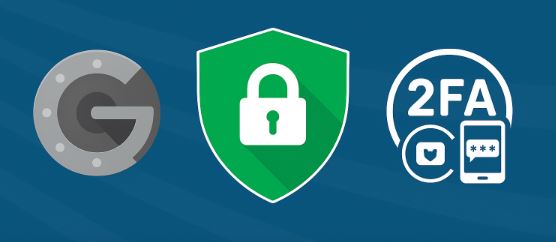
Useful tools: Authy or Google Authenticator for one-time codes. YubiKey for secure physical authentication.
If someone steals your password, 2FA assures they still can’t log in. Top Privacy Tools for 2025 Category Recommended Tools Why It Helps
Messaging Signal, Session Keeps communications private, and the Brave browser Firefox Blocks trackers and adverts
VPNs like ProtonVPN and NordVPN encrypt and conceal data
Passwords: Bitwarden, 1Password Strong password management Email ProtonMail; Tutanota Protects communication AI Privacy Private chat modes Prevents data storage
In 2025, privacy isn’t about seclusion; it’s about choice. You should determine what to share, not the company collecting it.
Technology has connected us like never before, but it also means every click, search, and post becomes part of your story. At HagereApp, we think tech should help people, not exploit them. Protecting your data isn’t being paranoid; it’s being attentive. Take time this week to evaluate your apps, reset your passwords, and put on extra security. Your information is your identity; keep it safe, because it represents you in the digital world.
pat pat #pat pattern lock guesture lock screen