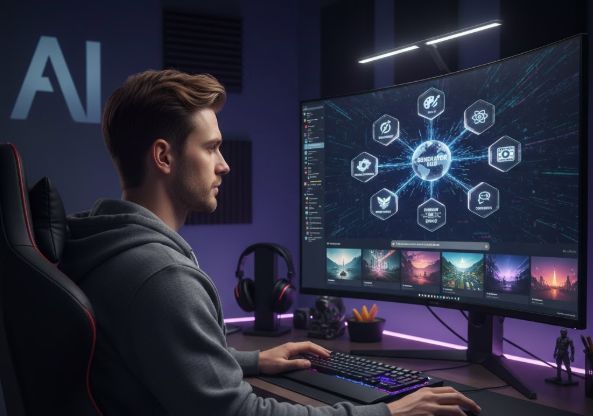
Image and video generation has moved from novelty to a real production toolset. Brands prototype ads in hours, creators storyboard with synthetic footage, and small teams produce visuals that once required a studio. The question in 2025 is not whether to use generative visuals, but how to build a reliable, ethical, and cost-effective workflow. This guide explains where image and video models shine, where they struggle, and which tools fit common use cases such as thumbnails, product renders, short ads, explainer clips, and cinematic concepts. The goal is practical clarity so you can deliver consistent results without wasting budget or time.
How We Evaluated the Tools
We focused on outcomes you can sustain week after week.
- Quality and consistency. Do outputs look clean, coherent, and brand-ready across variations and seeds.
- Control. Can you guide composition, style, motion, camera, and timing with prompts, references, or keyframes.
- Speed and reliability. Are jobs fast enough for production, and do they fail gracefully under load.
- Editing and iteration. Can you inpaint, outpaint, mask, rerender regions, or tweak motion without restarting from scratch.
- Brand safety and licensing. Are rights and usage terms clear for commercial work, including stock elements and trained styles.
- Cost and scale. Are per-asset or per-minute costs predictable for teams, with fair tiers and sensible rate limits.
- Privacy and compliance. Does the platform support private training assets, content filters, and opt-out controls when needed.
- Integrations. Can the tool plug into editors like Premiere, Resolve, Photoshop, or into your DAM and automation stack.
Quick Picks by Need
- Best overall for teams: A browser studio that combines text-to-image, image editing, and short video generation with project libraries and brand kits
- Best for solo creators and thumbnails: A fast, template-friendly image generator with strong inpainting and upscale options
- Best for concept videos and motion design: A generative video platform with reference control, camera cues, and scene-level editing
- Best open ecosystem: A local or server-hosted diffusion stack for custom models, LoRAs, and private workflows
- Best for product images: An e-commerce focused generator with lighting controls, scene staging, and consistent angles across a set
- Best for explainer and social ads: A text-to-video tool that supports storyboard beats, lip-sync for voiceover, and caption styles
- Best budget: A freemium image tool with efficient credits and high-quality upscalers that holds up for social work
Top Tools and How They Fit
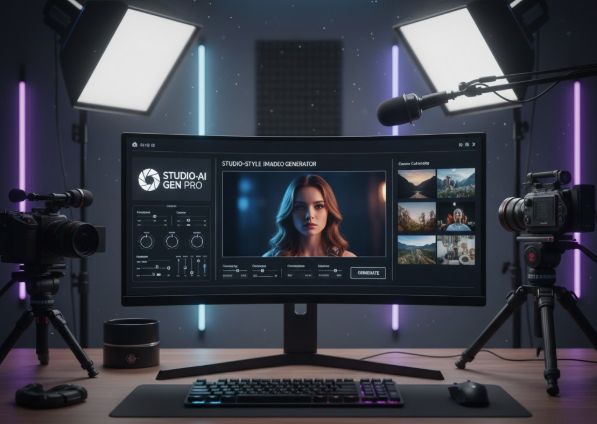
1. Studio-Style Image Generator (General Purpose)
This category includes polished web apps centered on text-to-image with strong editing. They suit creators who need dependable quality and quick touchups without code.
Standout capabilities
- Prompting plus visual controls for style, lens, and lighting
- Inpainting and outpainting with brush masks for surgical edits
- Reference image guidance for composition and brand consistency
- Batch generation with seed locking and aspect selection
- High-fidelity upscaling and face restoration for portrait work
- Background removal and instant mockups for social or e-commerce
Where it shines
- Thumbnails, hero images, and social graphics in minutes
- Clean iteration loop from “good” to “publishable” in a few tries
- Fast onboarding for non-designers with slider-based controls
Limitations and Pricing
- Ultra-specific realism can drift without solid references
- Stylistic control is strong but true brand likeness may require fine-tuning
- Pricing is credit-based or tiered monthly; teams should look for shared pools and role controls
2. Diffusion Stack You Can Host or Extend
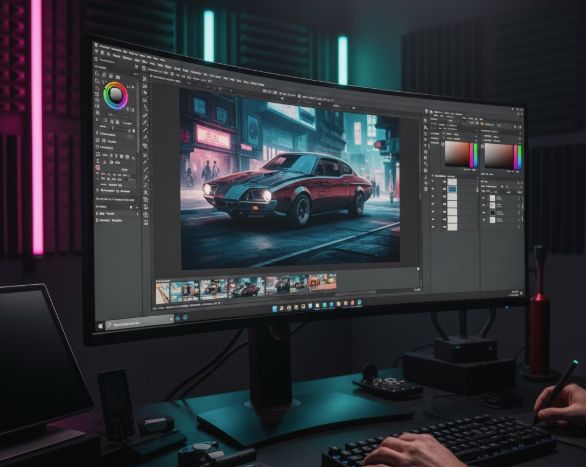
Open diffusion ecosystems let you run models locally or on a server. They’re ideal for privacy, niche styles, or specialized outputs at scale.
Standout capabilities
- Model flexibility with checkpoints, LoRAs, ControlNet, and IP-Adapter
- Exacting controls for pose, depth, edges, and color palettes
- Custom training for products, characters, or environments using small datasets
- Automation via scripts and APIs for bulk renders and A/B testing
Where it shines
- Private or regulated projects where assets must stay on your infrastructure
- High-volume outputs with predictable costs once hardware is set
- Consistent brand or character across a campaign with custom LoRAs
Limitations and Pricing
- Setup and upkeep require technical skill and GPU resources
- UI varies; non-technical teammates may prefer managed studios
- Cost is hardware plus electricity or cloud GPU time rather than simple subscriptions
3. Generative Video Platform for Short Clips
Modern video generators transform prompts or images into 2–20 second sequences with camera moves, scene transitions, and object motion.
Standout capabilities
- Text-to-video from a single prompt or storyboard beats
- Image-to-video that animates a still in the same visual style
- Reference control for characters, objects, or environments across shots
- Camera directives for pans, tilts, dollies, and rack focus
- Motion masks to keep specific regions steady while animating others
- Caption and subtitle layers that export cleanly for social platforms
Where it shines
- Short ads, cinematic teasers, mood films, and b-roll fill
- Previsualization and storyboards for clients without full shoots
- Rapid experimentation for social teams under tight deadlines
Limitations and Pricing
- Long narratives are still challenging; plan to stitch multiple shots
- Lip-sync and precise hand or text details can be hit or miss without post work
- Pricing often uses credits per second; budget for iteration when pitching
4. Transcript-First Video Assembly
Some tools focus on generating or assembling video around narration, scripts, or slide-like scenes. They fit explainers, tutorials, and voice-led content.
Standout capabilities
- Script import that autogenerates scenes, b-roll, and callouts
- AI voice enhancement and optional synthetic voices for drafts
- Template-based motion graphics with brand kits
- Stock search by meaning, not just keywords, for faster matches
- Auto-resizing and safe-area guides for 16:9, 1:1, and 9:16
Where it shines
- How-to content, product explainers, and ad variants for testing
- Non-video teams who still need weekly output that looks professional
- Rapid revisions from script changes without rebuilding timelines
Limitations and Pricing
- Cinematic realism is limited; assets can feel templated if overused
- Best results combine AI assembly with a final pass in a traditional editor
- Tiers often gate team review links, brand kits, or higher export bitrates
5. Product-Image Specialist
Retailers and DTC brands benefit from generators designed for consistent product photography and lifestyle compositions without rental studios.
Standout capabilities
- Scene staging with virtual surfaces, props, and lighting presets
- Angle locking across a batch so every variant shares the same camera
- Material-aware reflections and shadows for convincing realism
- Automatic background swaps with color management for brand palettes
- CSV or API-driven batch renders for large catalogs
Where it shines
- Seasonal campaigns and colorways with consistent angles and lighting
- Quick lifestyle composites without reshoots
- Localization of backgrounds and signage for different markets
Limitations and Pricing
- Training on your SKU set is often required for top fidelity
- Close-up macro realism can still need manual retouching
- Pricing is per image set or seat; watch for overage fees on large catalogs
6. Creative Lab for Style Exploration
Some platforms focus on bold looks, painterly styles, or surreal motion. They’re perfect for title sequences, music promos, and experimental ads.
Standout capabilities
- Style libraries with adjustable intensity and texture
- Image and video style transfer that preserves composition
- Beat-aware motion effects for music content
- Mask-based layer blending to combine real footage with generated elements
Where it shines
- Distinctive brand moments and art-direction explorations
- Mood boards that align teams quickly before expensive shoots
- Short social loops that stand out in feeds
Limitations and Pricing
- Heavy styles can obscure legibility for product or text
- Client work may require a gentle hand to avoid over-processing
- Credit models favor short loops; plan concise shots
Feature Guide: What Actually Improves Output
Prompting and references. Start with clear nouns, actions, and environment. Add a single reference image for composition and a second for style. Keep prompts concrete and avoid stacking conflicting adjectives.
Inpainting and outpainting. Erase small mistakes, swap props, extend frames for new formats, and keep faces intact by painting around eyes and mouths with low denoise strength.
Style and lens control. Lock focal length, aperture hints, and lighting direction in your prompt or UI sliders. Use the same seed across variations when testing small changes.
Character and product consistency. For recurring faces, brand mascots, or SKUs, rely on embeddings, LoRAs, or a platform’s identity control. Capture a few clean reference photos with even lighting and neutral poses.
Camera and motion cues. In video, specify lens, movement type, subject speed, and background depth. Use shot durations of 3–5 seconds and stitch them later for pacing.
Sound and captions. Even short clips benefit from polished audio. Add EQ and compression on voice, then burn captions only for platforms that need them. Keep safe zones for 9:16 and 1:1.
Upscaling and post. Use high-quality upscalers to reach 4K or tall 9:16 resolutions without waxy artifacts. In Resolve or Premiere, add mild grain and sharpening to recover texture.
Version control. Save seeds, prompts, and settings with filenames or metadata. For teams, standardize naming and store assets in a shared library so you can reproduce wins.
Workflow Playbooks
YouTube Thumbnail and Social Graphic
Outline the concept with a rough sketch and three keywords for mood. Generate four base images at your final aspect ratio. Inpaint key elements like hands and phones to avoid warping. Upscale the winner, then add brand text in a design app with your preset type styles. Aim for a 5–7 minute loop from idea to export.
Short Product Ad
Write a four-beat script: hook, feature, proof, CTA. Generate one hero image of the product at a consistent angle. Animate micro-motion with an image-to-video tool for each beat. Use masked motion to keep logos crisp. Add voiceover and sound effects, then export 9:16 and 1:1 versions. Test two hooks with small spend before scaling.
Explainer Clip
Draft the narration first. Import the script into a transcript-first video tool to auto-create scenes. Swap generic b-roll with generated visuals that match your brand palette. Add icon callouts and subtle camera moves. Export a review link, collect comments, and lock timing before final color and caption polish.
Cinematic Concept or Teaser
Create a three-panel storyboard with shot notes for lens, time of day, and motion. Generate style frames to align on look. Turn each panel into a 3–4 second shot with camera direction prompts. Use a conventional editor to sequence, color-match, and add sound design. Leave room for text plates and logo resolve at the end.
Ethics, Rights, and Brand Safety
Training data. Favor platforms that disclose model sources and offer opt-out mechanisms. If you handle client assets, use private training options or local models.
Copyright and likeness. Avoid generating recognizable celebrities or unlicensed trademarks. For real people, secure model releases. Keep a paper trail for commercial projects.
Content filters and policies. Use built-in safety filters and escalate internally when prompts or outputs risk sensitive categories. Establish a review step before publishing.
Music and fonts. Generated visuals do not include music and font rights by default. License audio from a trusted library and use your brand typefaces for text overlays.
Disclosures. For editorial contexts or regulated industries, consider labeling AI-assisted imagery. Align with local advertising standards and platform rules.
Budgeting and Scaling
Choose one primary tool for images and one for short video. This minimizes context switching and reduces subscription creep. For images, plan a monthly credit pool that covers thumbnails, hero art, and two campaign sets. For video, estimate credits per second and multiply by the number of variations you test. If your volume is high, explore hosting a diffusion stack to lower marginal costs. Track cost per published asset, not per render, and audit monthly to cut unused tiers. Automate repetitive jobs with batch prompts and presets.
Troubleshooting Common Issues
Anatomy and hands. Reduce extreme poses and busy backgrounds. Use reference poses or pose-control. Inpaint fingers individually when needed.
Text fidelity. Generate clean backgrounds, then add text in a design app. If you must render text in the model, keep it short and use high CFG or guidance settings.
Face drift across frames. Lock identity with consistent references, then stabilize in post. For talking heads, consider overlaying the best still face as a plate.
Temporal flicker. Shorten shots to 3–4 seconds and add mild motion blur in post. Keep lighting consistent across scenes.
Plastic look. Add texture in prompts, avoid over-smooth upscalers, and introduce subtle grain or film emulation in finishing.
Choosing the Right Stack
If you publish daily shorts, pick a video generator that exports directly to 9:16, supports captions, and has fast credit refresh. Pair it with a nimble image editor for thumbnails. If you produce brand campaigns or product catalogs, add a product-image specialist and a private diffusion setup for consistency and confidentiality. If you deliver client concepts, include a creative lab tool for style exploration plus a conventional NLE for final polish. Keep your stack small, document presets, and teach teammates the same naming and review habits.
Future Directions to Watch
Longer and more controllable video. Expect better lip-sync, dialogue scenes, and multi-shot continuity tools that track characters across edits.
Physical reasoning and scene logic. Models are improving at object permanence and causality, reducing odd artifacts in motion.
3D awareness. Depth maps and mesh-aware generation are making virtual cinematography more convincing, blending 2D and 3D pipelines.
Personalization. Safer, opt-in fine-tuning for brands and creators will make consistent styles easier without large datasets.
On-device acceleration. Lightweight models will handle drafts on laptops and even phones, reserving cloud GPUs for finals.