
It’s not every day that a major tech company launches a brand-new web browser. Yet in October 2025, OpenAI surprised the world by announcing Atlas, a browser built directly around its ChatGPT assistant. Unlike traditional browsers, Atlas isn’t just a tool for opening web pages it’s designed to be an intelligent partner that helps you read, write, search, and even act on the web.
This launch marks more than just another browser option. It could be the beginning of a serious shift in how we use the internet, and perhaps the first real challenge to Google Chrome’s dominance in over a decade.
1. What Is Atlas Browser?
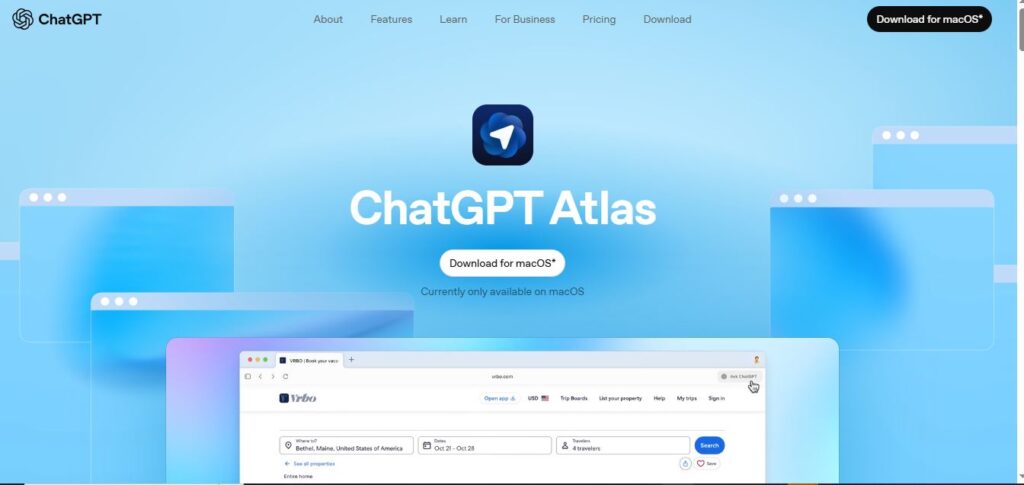
Atlas is OpenAI’s new web browser that deeply integrates ChatGPT into the browsing experience. Instead of adding AI as an optional feature, the entire browser is built around it.
Atlas uses the same Chromium engine that powers Chrome and Microsoft Edge, so websites load fast and look exactly as they should. But the experience goes far beyond simple page loading. It introduces built-in tools powered by ChatGPT that can read and understand what’s on your screen, summarize it, or even perform actions based on it.
Currently, Atlas is available for macOS, with versions for Windows, iOS, and Android on the way. It features a persistent ChatGPT sidebar, a clean interface, and what OpenAI calls “Agent Mode” ( a setting that allows the assistant to perform multi-step tasks for you), like booking flights or comparing products online.
Another standout feature is “browser memory.” This lets Atlas remember context — such as what you’ve read or asked about before t help to personalize your experience.
In short, Atlas isn’t just a browser with AI inside. It’s a browser built around AI.
2. Why Atlas Matters in a World Dominated by Chrome
To understand why Atlas could disrupt Chrome, it helps to know what Chrome represents. Since its launch in 2008, Chrome has grown into the world’s most widely used browser. It’s fast, stable, and deeply tied to Google’s ecosystem.
For billions of users, it’s the default window to the internet. That dominance, however, has also made the browser market stagnant.
Atlas introduces a new philosophy: the browser isn’t just where you find information, it’s where you work with it. Instead of searching, clicking, and jumping between tabs, you can simply ask ChatGPT to do the heavy lifting whether it’s summarizing a long article, rewriting a paragraph, or researching a topic for you.
A few key ways Atlas challenges Chrome:
- Reimagining search: You don’t need to open Google and browse through results. You can just ask your browser directly for the answer.
- Task automation: You can perform actions right inside the browser — from composing emails to comparing reviews — with ChatGPT’s help.
- Built-in context: Atlas understands what’s on your screen and helps you in real time, not as a separate chat window or plugin.
- Unified workspace: Instead of switching between apps, you can read, research, and create all in one place.
This rethinking of what a browser does could make Atlas one of the biggest software shifts since Chrome’s arrival.
3. What Makes Atlas Stand Out
Let’s look at some of the defining features that make Atlas more than just “Chrome with ChatGPT.”
ChatGPT Sidebar
Asking questions about any page you are seeing is possible through an integrated sidebar. Do you need an article synopsis or a technical phrase explanation? You can complete it right away without ever leaving the page.
In-Line Writing Help
Highlight any text in a comment box, social post, or email field, and ChatGPT can rewrite, fix grammar, or polish it — directly within the site you’re on.
Browser Memory
Atlas can remember your previous chats, browsing patterns, and personal preferences (only if you allow it). This enables smarter suggestions — for example, remembering that you prefer certain sources or writing styles.
Agent Mode
This feature allows ChatGPT to perform tasks automatically. For example, it could compare hotel prices, fill out online forms, or manage small workflow tasks while you supervise.
Privacy and Control
OpenAI says users will have full control over what’s stored and remembered. You can erase browser memories at any time, and the data isn’t automatically used to train AI models.
Together, these features show that Atlas isn’t trying to replace Chrome’s structure — it’s trying to redesign what the browser means.
4. Why Atlas Has a Real Chance at Disruption

For years, browsers have competed on speed, design, and sync features. But that competition battle is largely over because Chrome, Safari, Edge, and Firefox all perform well. Atlas enters the market by changing the rules.
4.1. People Now Expect AI Everywhere
We’re living in an AI-first era. Users are growing used to chatting with assistants, writing with AI, and generating content in natural language. Atlas simply brings that comfort directly into daily browsing.
4.2. Familiar Foundation, Fresh Experience
Because it’s built on Chromium, users don’t lose compatibility. Every site that works in Chrome will work in Atlas. That makes switching easier — with fewer technical headaches.
4.3. A Growing OpenAI Ecosystem
Millions already use ChatGPT for work, study, and research. Atlas is a natural extension. For many, using a browser that already understands their workflow will feel like the next logical step.
4.4. A Stale Market Ready for Change
For over a decade, Chrome has been the default choice. Users rarely switch browsers anymore. But that also means they’re waiting for something new — something that feels like a genuine leap forward. Atlas offers that freshness.
4.5. Search Meets Conversation
Atlas blends search and conversation. Instead of reading ten web pages to find an answer, users can ask one question and refine the answer naturally. That’s a massive change from how we’ve interacted with the web since its beginning.
5. The Challenges Ahead
Disrupting Chrome won’t be easy. OpenAI faces some tough realities if Atlas is going to move beyond curiosity and become mainstream.
5.1. Breaking User Habit
People are creatures of habit. Switching browsers feels unnecessary for most users. Convincing them to try something new — even if it’s better — takes time and trust.
5.2. Cross-Platform Availability
At launch, Atlas is only on macOS. Without Windows, Android, and iPhone versions, it can’t reach the masses. OpenAI needs to expand fast and ensure consistent quality across all devices.
5.3. Extension Ecosystem
Chrome’s massive extension store gives it flexibility for power users. Atlas will need to support or replicate that kind of ecosystem to compete for professionals and developers.
5.4. Privacy Perception

Atlas’s “memory” feature could worry some users. Even though OpenAI promises transparency and control, users must feel that their privacy is secure. One misstep could hurt adoption.
5.5. Performance Expectations
Users expect browsers to be lightning-fast. Any slowdown from AI integration could frustrate people. Atlas must balance intelligence with efficiency.
5.6. Business Model
Google earns billions from search ads integrated into Chrome. OpenAI’s business model for Atlas is still evolving. It may rely on ChatGPT Plus subscriptions, enterprise packages, or other monetization — but that model must be clear and sustainable.
6. What Disruption Could Look Like
If Atlas takes off, the browsing experience might look very different within a few years. Here’s what that future could resemble:
- Searching less, asking more. Instead of typing queries into a search box, people will ask questions conversationally.
- Smarter multitasking. Atlas can handle reading, summarizing, and planning without jumping between tabs or apps.
- Fewer interruptions. Everything happens in one flow — research, creation, communication.
- New privacy standards. The idea of a “browser with memory” could redefine how personalization works online.
- A shift in the ad economy. If people start getting answers directly from their browser instead of search pages, companies might rethink how to reach audiences.
Atlas could essentially turn the browser into an all-in-one productivity space rather than a simple viewing window.
7. How This Impacts Google Chrome
Chrome won’t sit still. Google has been developing its own AI assistants and experimental features, but Atlas pushes the standard higher.
Here’s what Atlas might trigger inside Google’s world:
- Faster innovation: Chrome may need to integrate its AI deeper into the browser, not just in search.
- A new battle for relevance: If users get what they need directly from Atlas, Google Search could see reduced traffic.
- Feature race: Chrome may accelerate AI summarization, writing aids, or voice-driven navigation to stay competitive.
- Ecosystem rethink: Google might need to make Chrome more open to non-Google AI tools to keep users from switching.
For the first time in years, Chrome is facing a challenger that competes not on speed or looks — but on intelligence.
8. Who Will Love Atlas — and Who Might No
Early adopters and tech enthusiasts will likely embrace Atlas first. They’re used to experimenting and already rely on ChatGPT in their daily tasks.
Writers, researchers, and professionals who constantly switch between tabs will also benefit. Atlas can summarize sources, draft text, and handle small tasks right in the browser.
However, privacy-conscious users may hesitate, especially those uncomfortable with AI that “remembers” browsing activity. And users deeply tied to Google’s ecosystem — Gmail, Drive, and Chrome Sync — may see little reason to switch until Atlas fully integrates similar tools.
9. Strengths and Weaknesses at a Glance
Strengths
- Deeply integrated AI experience
- Familiar, Chromium-based foundation
- High brand trust and large existing user base
- Real productivity improvements through task automation
- Modern design and smoother workflows
Weaknesses
- Limited platform availability at launch
- User hesitation around privacy and data use
- Lack of an extension marketplace (for now)
- Strong competition from established browsers
- Dependence on successful AI adoption habits
Atlas’s biggest advantage lies in redefining how people think about browsers — not just adding new features.
10. What to Watch Next
Over the coming months, a few key developments will determine whether Atlas truly reshapes the browser market:
- Windows and Mobile Versions: A strong cross-platform rollout is critical for growth.
- Speed and Stability: Users will expect Chrome-level performance from day one.
- Privacy Controls: Transparent, easy-to-use settings will decide trust.
- Extension Support: Developers will want to know if their tools can run on Atlas.
- User Adoption: If enough early adopters praise its experience, mainstream users will follow.
- Competition’s Response: How quickly Chrome, Edge, and Safari introduce similar features will shape the next chapter.
If OpenAI nails these areas, Atlas could become the first real browser breakthrough in over a decade.
11. Final Thoughts
Every once in a while, a new product challenges the way we think about everyday tools. In 2008, Chrome did that by redefining speed and simplicity. In 2025, Atlas could do the same — but this time with intelligence and assistance at its core.
Instead of searching, scrolling, and switching, users might start talking to their browsers — asking, delegating, and creating in real time. That’s a profound shift in how we use the internet.
Of course, it won’t happen overnight. Chrome’s dominance is massive, and Atlas still has a lot to prove — from privacy handling to multi-platform consistency. But the direction is clear: browsers are evolving from passive viewers to active collaborators.
AI
#AI